Best In-app NPS Software in 2026
Let’s not beat around the bush here: If you are comparing in-app NPS tools, you are probably trying to get cleaner feedback from real users.
And that’s no small feat.
I’ve written quite a lot about both in-app surveys and NPS already. But here, I want to show you what are the best in-app tools are to run NPS within your product.
You’ll learn: why NPS is best run in-app, what features matter, and the best in-app NPS software options, including Refiner.
So, let’s do it.
Why run NPS in-app?
FACT: NPS works best when it is tied to real product usage, not disconnected moments.
When you run NPS in-app, you can ask at the point where the user actually has an opinion.
Like after onboarding. Or a key workflow. After a support interaction. After they hit a milestone.
And this way, you are not guessing. Plus, you are not relying on who happens to open an email.
In-app also lets you control context. That matters because NPS is a blunt question unless you know what the user just experienced. If someone is stuck, a “How likely are you to recommend us?” prompt can surface friction you would never see in a generic outreach. If someone just experienced your product’s value, it can capture why the product is working.
Here is what running NPS in-app changes in practice:
- Better timing, because you can trigger NPS surveys on real user moments.
- Better signal, because the feedback comes from users who are actively in the product.
- Better follow-up, because you can ask one more question while the experience is still fresh.
- Better segmentation, because you can separate new users from power users, trial users from paying users, and so on.
Of course, I don’t mean that email surveys are useless. Having said that, in-app NPS is closer to what the user is doing, which usually means less noise and more actionable insight.
What is an in-app NPS software
Shortest possible definition: An in-app NPS software is basically any in-app survey tool designed to collect Net Promoter Score responses inside a product experience, typically in a web app or a native mobile app.
Instead of sending NPS as a one-size-fits-all message, in-app NPS software lets you display the survey while the user is using the product. That usually includes things like triggering surveys based on events, targeting specific segments, and adding follow-up questions so you can understand the “why” behind the score.
In-app NPS tools are usually built for product and customer experience workflows. The survey is not the end goal. The goal is to capture feedback in context, then route it into decisions, whether that is fixing friction, improving onboarding, or tracking changes over time.
If you are evaluating in-app NPS tools, you are really evaluating how well a platform can help you ask the right question, to the right user, at the right time, inside your product.
Key features to look for in an in-app NPS tool
Most in-app NPS tools look similar at a distance. The differences show up when you try to run targeted NPS at scale, across segments, platforms, and journeys.
Here are the core features I would look for.
1) Contextual Triggers
Timing is everything in-product. You want triggers that let you show NPS at meaningful moments, not arbitrary dates.
Look for the ability to:
- Trigger on specific events or actions.
- Trigger after a milestone (like onboarding completion).
- Control frequency so the same user is not spammed.
- Use prior responses as part of targeting.
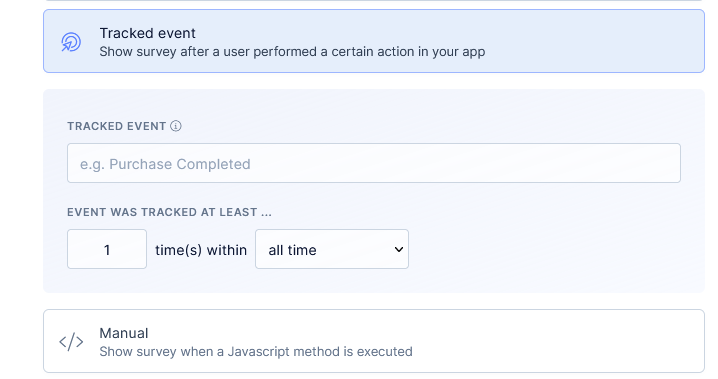
(An example of a contextual trigger in Refiner)
2) Mobile SDKs
If you have a mobile product, this is non-negotiable. “In-app” should not mean “web-only.”
At minimum, you want SDK support that makes it realistic to run surveys in:
- Web apps
- Native mobile apps
3) User Segmentation
NPS without segmentation is a single average number, and averages are not that helpful.
Segmentation should let you target by:
- User traits
- Behaviour
- Device
- Country and language
- Previous responses
The goal is to see how NPS changes across meaningful groups, and to run different NPS prompts for different contexts.
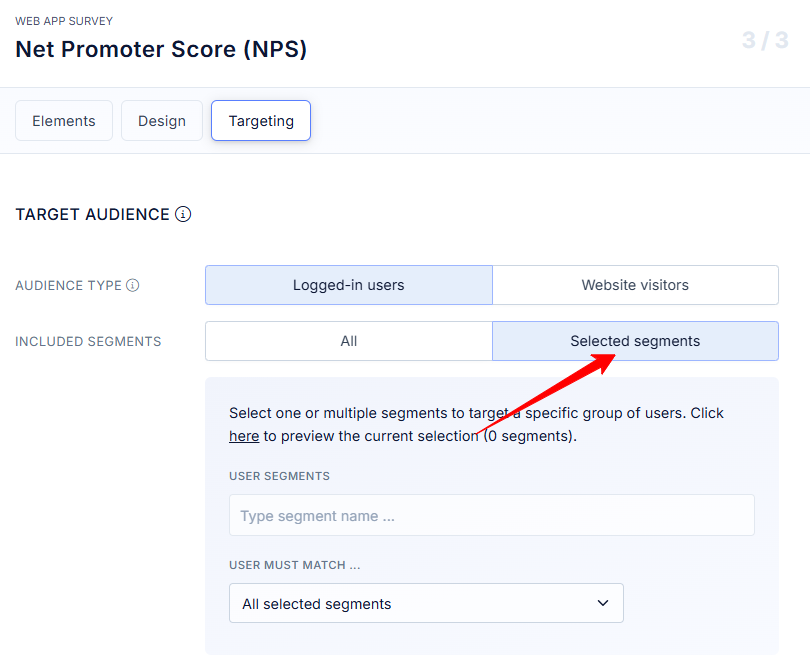
(Example of customer segments in an in-app NPS survey)
4) Follow-Up Logic
A score without context is a dead end. Follow-up logic is what turns NPS into insight.
Look for:
- A follow-up question after the score.
- Logic that changes follow-ups based on what the user answered.
- The ability to capture qualitative feedback in a clean way.
5) Ready-made templates
Templates matter because most teams do not want to reinvent survey structure every time.
Useful template support includes:
- NPS templates you can launch quickly
- Other CX templates like CSAT, CES, PMF, if you plan to expand beyond NPS
- Simple customization so templates still match your brand and UI
Best tools to run in-app NPS
Below are the best in-app NPS tools to consider. I am focusing on the in-app NPS software category, since the intent here is to compare options on the market.
1) Refiner
Refiner is in-app survey software for web and mobile apps, built specifically for SaaS and digital products that want high-quality contextual feedback inside the product, not in random email blasts.
With Refiner, product and CX teams are able to run targeted microsurveys in their web app or native mobile apps, and collect feedback to make better product decisions and improve customer experience based on what their real users are doing.
The whole idea is simple. You drop Refiner into your app, show beautifully branded surveys at the perfect moment, and get highly valuable insights instead of noisy, low-intent feedback. Refiner focuses on perfectly timed in-product micro surveys and gives you advanced targeting so you can always ask the right question, to the right segment, at the right time.
What you can do with Refiner
- Run in-app surveys in your web app and native mobile apps with SDKs for JavaScript, iOS, Android, React Native, Flutter and more.
- Launch multi-channel surveys in-app, by email, or through hosted survey links for users who are not currently in your product.
- Use templates and 12 question types for NPS, CSAT, CES, PMF and other customer experience and product surveys.
- Customize design with comprehensive styling options and custom CSS so surveys match your product’s UI.
- Target users by traits, behaviour, device, country, language or previous responses with a segmentation engine and trigger surveys on specific events.
- Track NPS and other CX metrics over time with recurring surveys and real time reporting dashboards, including AI powered response tagging.
If you are running a SaaS or mobile app and want serious, in-app survey infrastructure for product feedback and customer experience, Refiner might just be the solution you’re after.
2) Survicate
Survicate is commonly considered when teams want to run NPS surveys and collect feedback from users, including in-product.
If you are comparing in-app NPS tools, Survicate is usually evaluated as a tool that can help you launch NPS, collect qualitative follow-ups, and track results. The practical question to validate is whether you can trigger NPS in the right context and segment the right users, because that is where in-app NPS lives or dies.
When you assess Survicate for in-app NPS, I would focus on a few things:
- How you trigger surveys inside the product experience.
- How you target segments, especially based on user traits and behaviour.
- How follow-up questions are handled after the NPS score.
- How reporting works when you run recurring NPS and want to monitor trends.
If your product team wants to use NPS as an ongoing signal, recurring surveys and trend reporting matter more than a one-time campaign. If your goal is to link NPS to specific moments in the journey, contextual triggers and segmentation matter most.
3) Delighted
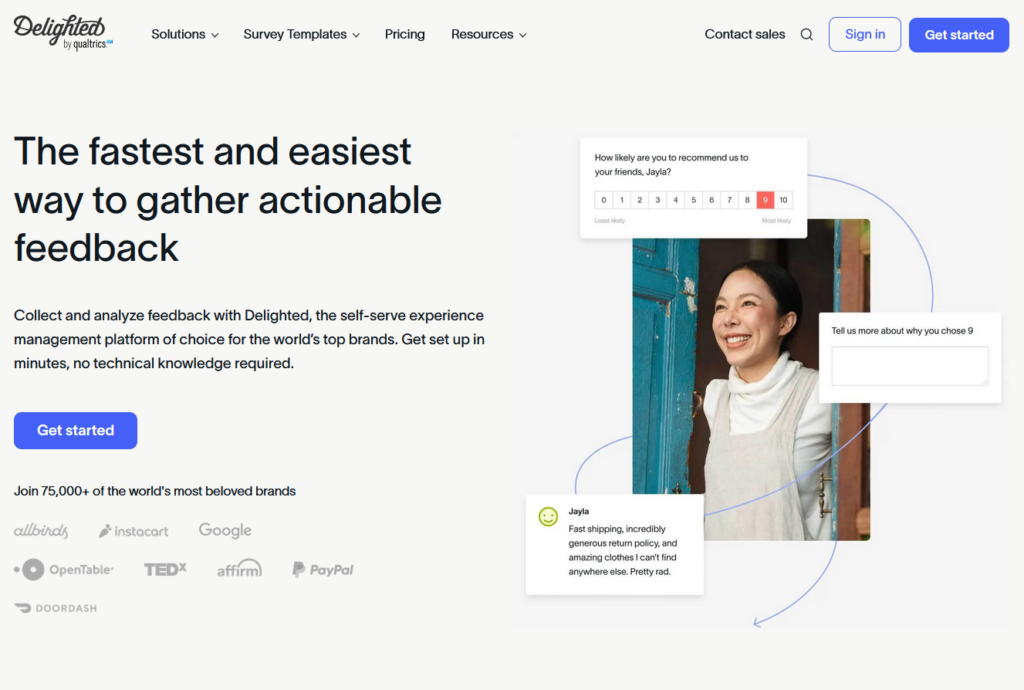
Delighted is often evaluated for NPS, and teams may include it in their shortlist when they want a tool that is strongly associated with the NPS workflow.
In an in-app NPS tools comparison, the key thing is not whether Delighted can collect an NPS score. Most tools can. The question is how well it supports an in-product experience, including timing, targeting, and follow-up.
When looking at Delighted for in-app NPS, I would pressure-test:
- Whether the NPS experience can be delivered inside the product flow, not just as an external request.
- Whether you can target users based on meaningful segments.
- Whether follow-up logic is flexible enough to capture the “why” behind the score.
- Whether reporting supports tracking NPS over time, not just snapshots.
If your use case is primarily product feedback inside the app, it is worth being strict about what “in-app” means in your stack. You want feedback tied to product usage, not only broad outreach.
4) Pendo
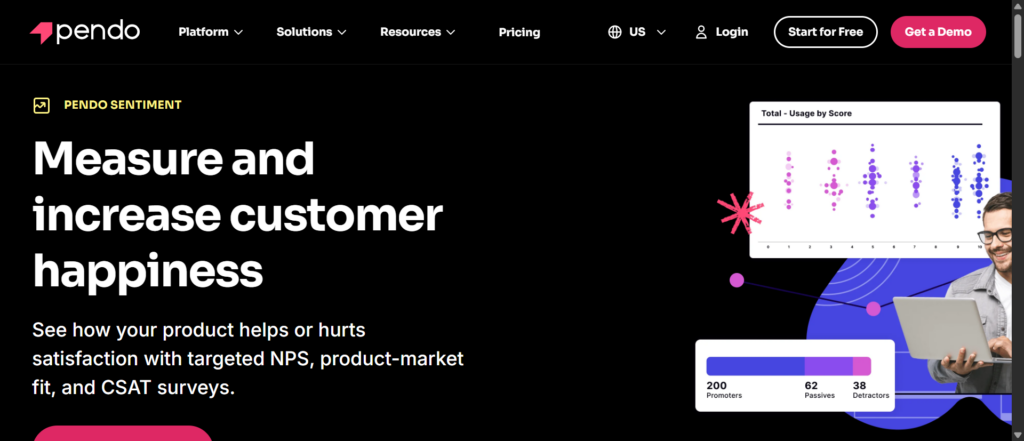
Pendo is frequently evaluated by SaaS teams that want product insights and in-product experiences, and it can come up in conversations about collecting NPS in the product.
For in-app NPS, the evaluation should focus on whether you can run NPS in the right context and then act on the feedback. That usually means you care about:
- How you trigger the NPS prompt based on product moments.
- How user segmentation is handled for targeting different cohorts.
- How follow-up questions and qualitative feedback are captured.
- How you track NPS trends over time and connect them to product changes.
If you are already using a product platform for in-app experiences, adding NPS can feel like a natural extension. But I would still evaluate it like a dedicated in-app NPS tool. Does it let you ask the right question at the right time, to the right user, without compromise?
5) Qualaroo
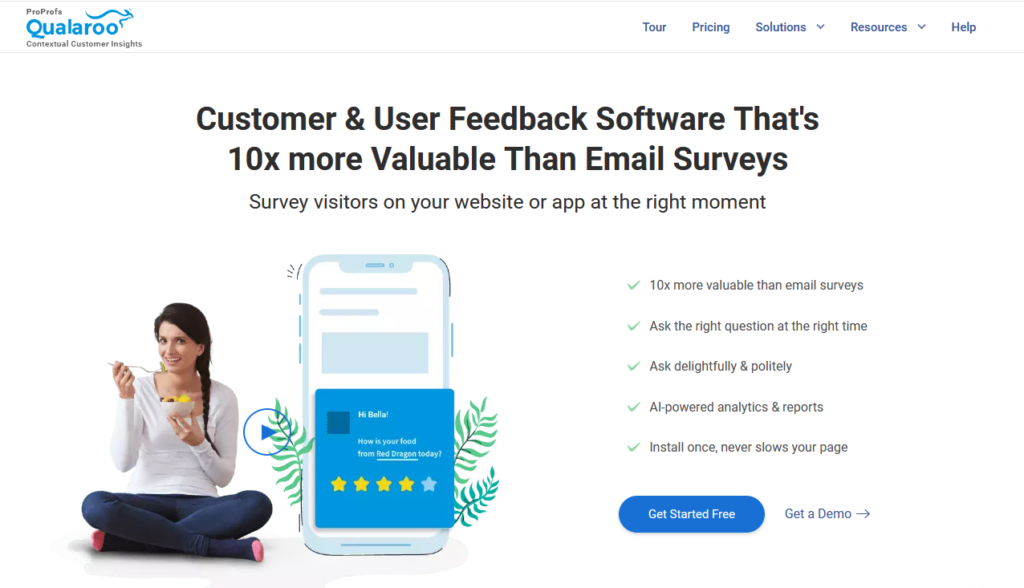
Qualaroo is often included in feedback tooling comparisons, and teams may consider it when they want to collect user input via surveys.
In the context of in-app NPS tools, the important part is the in-product workflow. NPS should be triggered based on what the user is doing, and it should be easy to capture a follow-up comment that explains the score.
When assessing Qualaroo for in-app NPS, I would look closely at:
- The in-app delivery experience, meaning how the survey appears inside the product.
- Targeting and segmentation controls, especially for product cohorts.
- Follow-up question logic after the score.
- Reporting and trend tracking if you plan to run NPS on a schedule.
If your priority is product feedback quality, I would treat segmentation and triggers as first-class requirements, not “nice to have.”
6) Userpilot
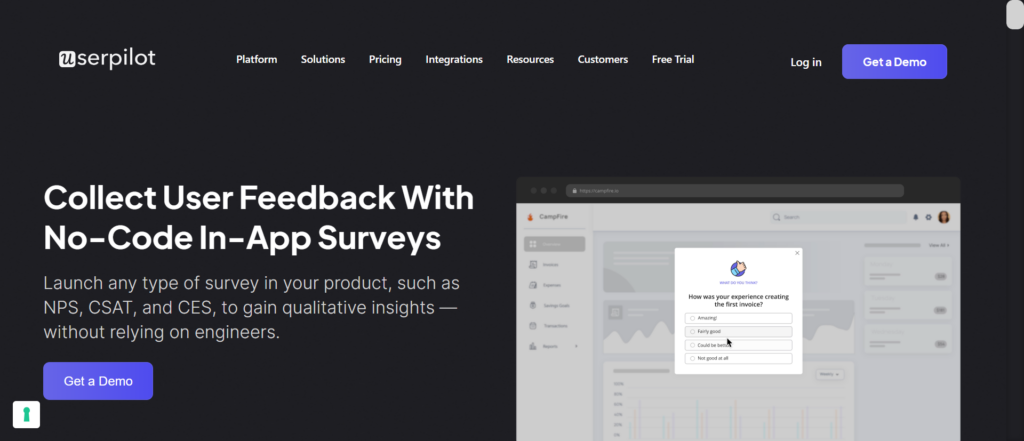
Userpilot is often evaluated by SaaS teams that want in-app user experiences, and it can be considered for collecting NPS inside the product.
For in-app NPS, the practical requirements stay the same:
- You need contextual triggers so you can run NPS at meaningful moments.
- You need segmentation so you can separate cohorts and avoid misleading averages.
- You need follow-up logic so NPS does not become a number with no insight.
- You need reporting that supports recurring NPS and trend tracking.
If you are evaluating Userpilot specifically for in-app NPS software, I would keep the bar focused. The tool should make it easy to deploy NPS in-product, and it should make it easy to learn from the responses, not just collect them.
And that’s it…
These are the best in-app NPS tools to consider.
All that’s left is to pick the ones that match your requiremenst and test them out.
Good luck!
FAQ: In-app NPS tools
In-app NPS tools are in-app survey tools that let you collect NPS responses inside a web app or a native mobile app, typically with targeting, triggers, and follow-up questions.
Because in-app NPS can be tied to real product usage. You can ask at the right moment, segment the right users, and capture the “why” while the experience is fresh.
I would prioritize contextual triggers, user segmentation, follow-up logic, and strong platform support, including mobile SDKs if you have a mobile product.
Some do, some do not. If mobile matters to you, look for explicit mobile SDK support so you can run surveys in native apps, not only in the web product.
Segmentation lets you target and analyze NPS by cohorts like plan type, lifecycle stage, behaviour, device, country, language, or previous responses, so you can see what is really driving the score.
Yes, many in-app NPS tools support recurring surveys and reporting over time. If you care about trends, recurring setup and dashboards matter.
Refiner is in-app survey software for web and mobile apps, built for SaaS and digital products. Its focus is on contextual in-product micro surveys, advanced targeting, templates, and reporting for tracking CX metrics over time.