Throttling
Introduction
By default, Refiner shows a survey as soon as a Trigger Event occurs for a user in your Target Audience. Sometimes you want to slow things down a bit though.
Refiner offers various Throttling options to control the collection speed per survey, per user and per environment. The described options below give you full control over how many users will see a survey and how many surveys one single user can see in a given timeframe.
You’ll find a set of throttling options in the Targeting tab of the survey editor and three other option sets in the global environment settings. Each option group serve different throttling use cases and can be enabled independently.
Throttling per survey
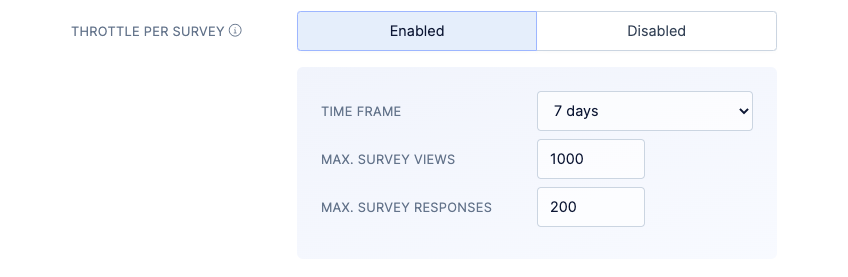
The throttling options in the Targeting tab of the survey editor allow you to control how often a survey is shown and how many responses should be collected in a given time period.
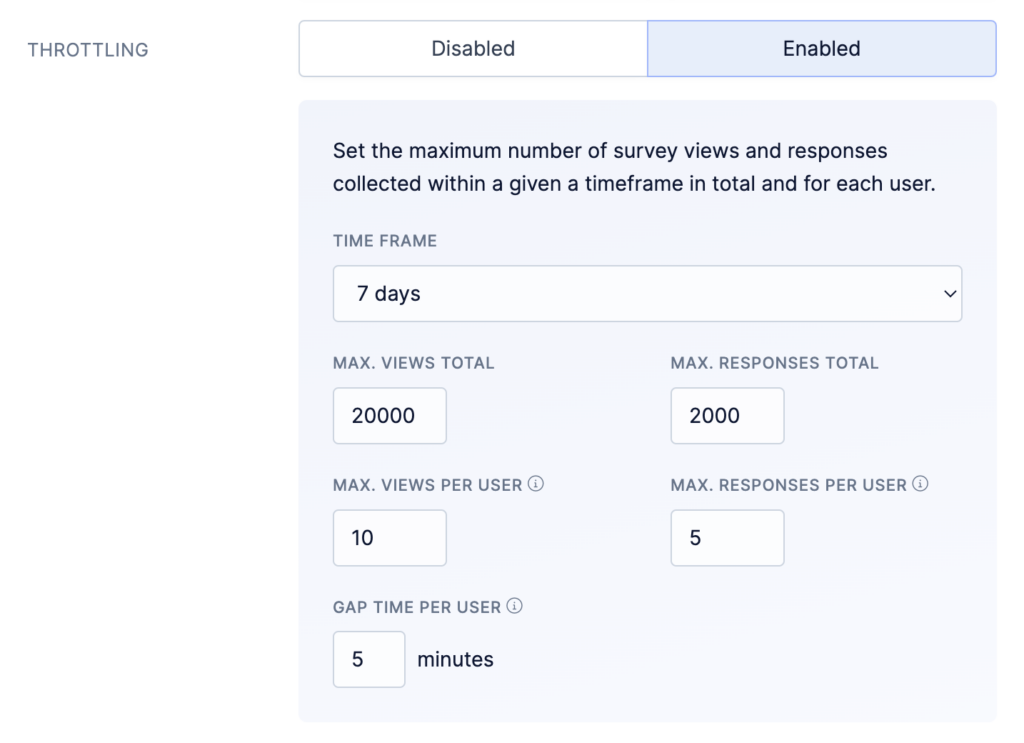
The following parameters parameters are available for throttling per survey.
- Time Frame: This parameter defines how far we will look into the past when determining if a survey can be shown or if we wait a little longer
- Max. survey views: Determines after how many survey views in the given time frame we should stop serving surveys. If you enabled Follow-Up Mode, each attempt counts towards the limit.
- Max. survey responses: Determines how many survey responses you want to collect in the given time frame.
- Max. survey views per user: Determines how often one user can see the survey. This option is only relevant if you are using Follow-Up Mode or Recurring Surveys. If you enabled Follow-Up Mode, each attempt counts towards the limit.
- Max. survey responses per user: Determines how many survey responses one user can provide in the given time frame. This option is only relevant if you are using Follow-Up Mode or Recurring Surveys.
- Gap time per user: How much time needs to pass until a user can see the same survey again.
The throttle options in the Targeting tab of the Survey Editor overwrite environment wide throttling options (see below). They are also prioritized over other survey trigger options, such as recurring surveys and our Follow-Up mode.
Environment wide throttling
In addition to throttling options for each survey, it’s also possible to define survey throttling in the global settings of your environment. You can find the global throttling options under SETTINGS > RESPONSE COLLECTION.
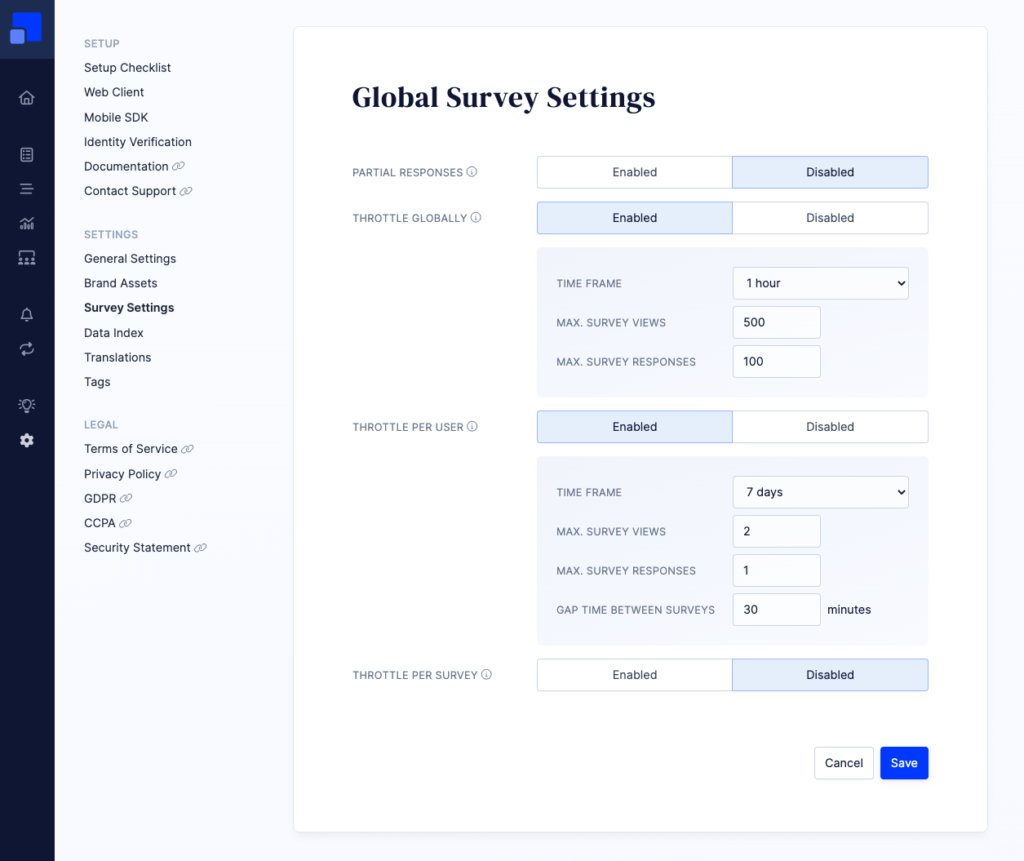
Global throttling options are grouped into three levels as described below. Each group has the following parameters:
- Time Frame: This parameter defines how far we will look into the past when determining if a survey can be shown or if we wait a little longer
- Max. survey responses: Determines how many survey responses you want to collect in the given time frame.
- Max. survey views: Determines after how many survey views in the given time frame we should stop serving surveys. If you enabled Follow-Up Mode, each attempt counts towards the limit.
They three groups of throttling options are:
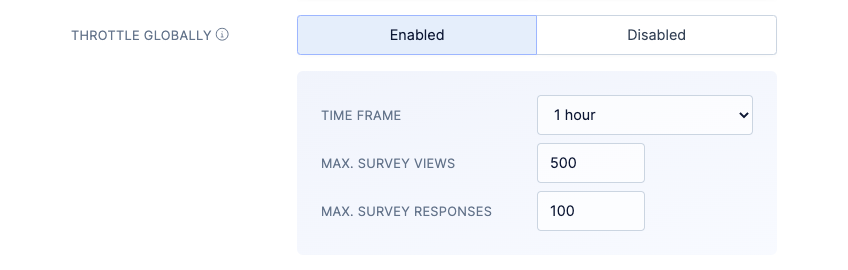
Throttle globally
Sometimes you might want to control the speed of data collection globally, taking into account all surveys.
A popular use-case for global throttling is to make sure that your team doesn’t get overwhelmed with too much data and can follow up timely on each response (e.g. feedback received from a NPS survey).
When enabled, this settings is prioritized above all other throttling options.
Throttle per user
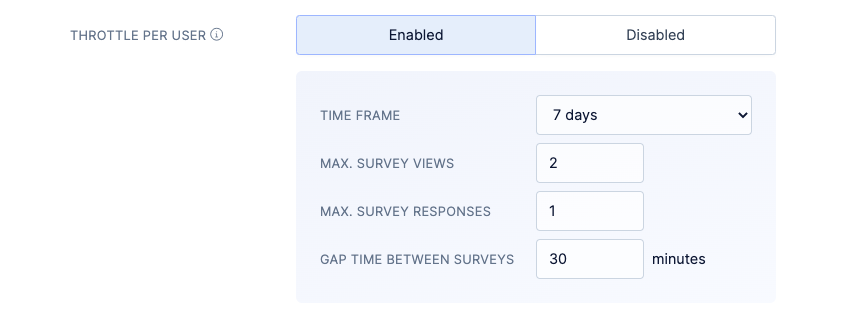
When you are running multiple surveys in parallel with overlapping target audiences, you might want to control how many surveys or respond to in total.
If enabled, the number of survey views and collected responses is limited for each individual user. You can for example decide that a user should never see more than one survey per week, no matter how many survey campaigns are currently activated.
This group has an additional “Gap time” parameter which defines how much time needs to pass before a user can see another survey.
Throttle per survey
This setting allows you to define a default behaviour for all surveys in your account. The setting can be overwritten for individual survey as described above.
Disclaimer
Please note that survey throttling should be considered as approximate methods.
When choosing a time frame longer than one day, view and response limits are normalized to a 24 hour window. We do this to achieve a more equally distributed collection of survey data. For example, a “600 responses within 30 days” is technically implemented as “30 responses within 24 hours”.
On high traffic websites and apps, it can happen that you’ll see slightly more survey views and responses than indicated in your settings. We recommend to start throttling with lower numbers and work your way up.