
Form Panel
Introduction
Section titled “Introduction”A Form Panel asks for several pieces of information on a single screen. Use one when you need a name and an email address together, a number plus a short note, or an opt-in next to those fields.
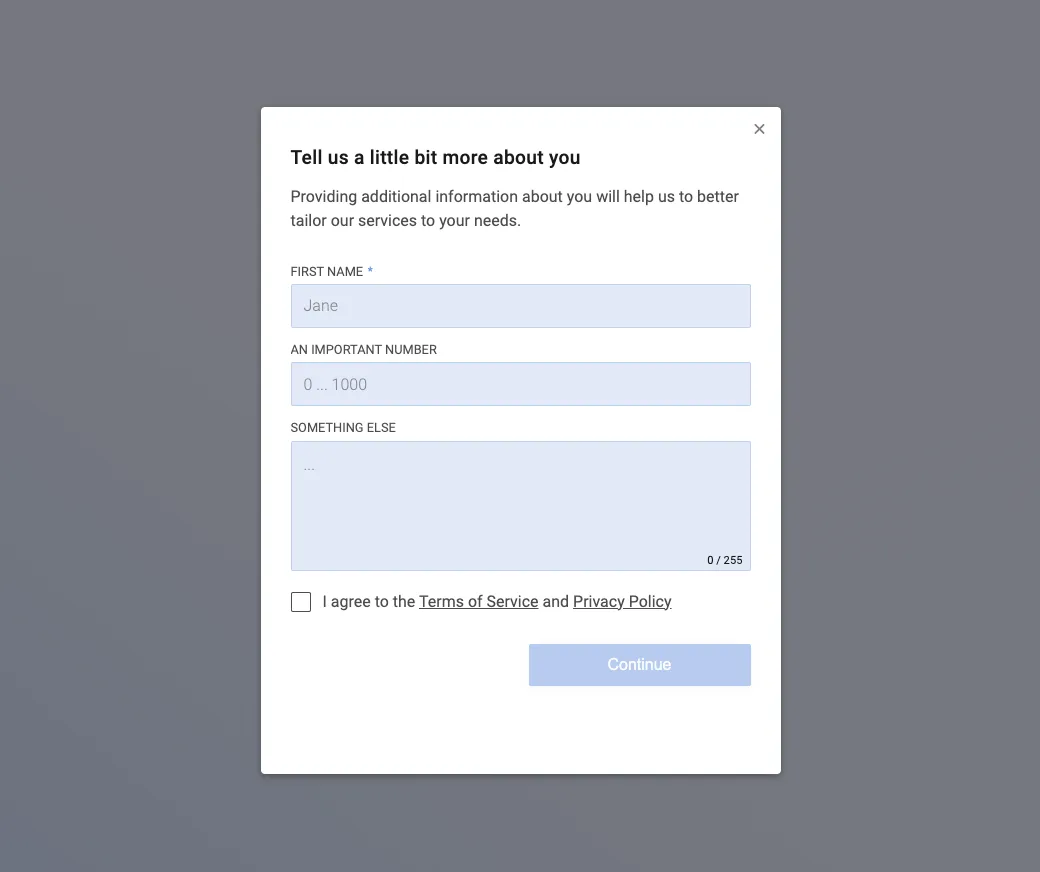
Pick a different element when one answer is enough:
- Use an Open Text question for a single comment.
- Use a Multiple Choice question when you want to count answers in charts.
Add a Form Panel
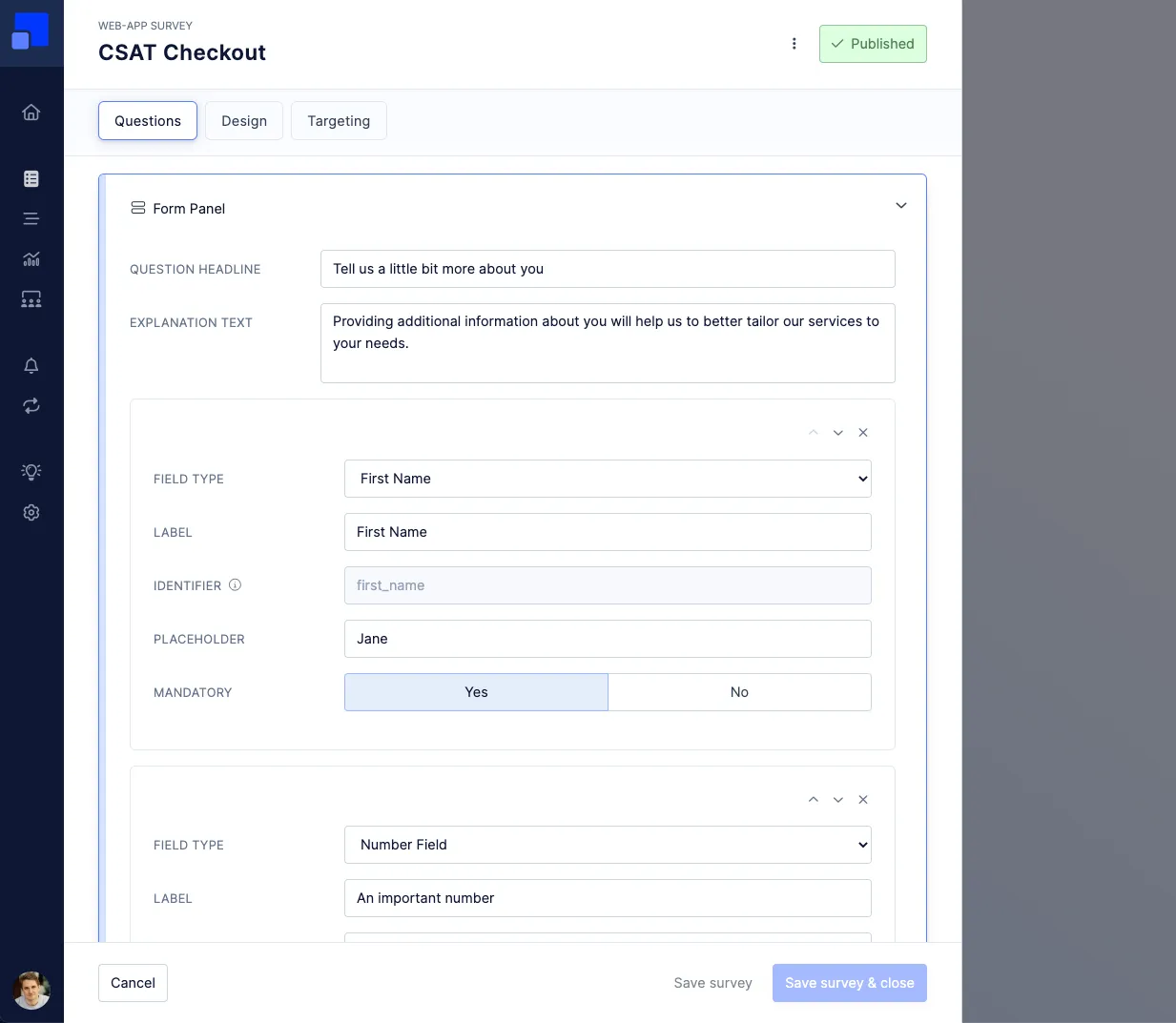
Section titled “Add a Form Panel”In the Survey Editor, add a Form Panel. Write the Question headline and, when users need more context, an Explanation text. Both appear above the fields.
Add a field for each answer. Use the arrows on a field to change its order, or remove a field you no longer need.
Choose a field type
Section titled “Choose a field type”Field type sets what the user can enter:
- First Name, Last Name, Email, and Phone Number collect contact details.
- Number collects a numeric value. Use the placeholder to show an example range, such as “0 .. 1000”.
- Text – One line is a short answer on one line.
- Text – Multiple lines is a longer note.
- Checkbox is a single choice, such as agreeing to your terms.
A checkbox Label can include Markdown, including a link. The link opens in a new browser tab.
I agree to the [Terms of Service](https://example.com/terms) and [Privacy Policy](https://example.com/privacy).Set each field
Section titled “Set each field”Each field has its own settings:
- Label: The name shown with the field. A required field is marked with an asterisk.
- Identifier: The name used when the answer is stored. Refiner fills one in for you. The First Name field in the example uses
first_name. Each field keeps its own identifier, so a name and an email address are stored as separate values. Read Data Identifiers before you change an identifier. - Placeholder: Hint text in an empty text or number field, such as “Jane”.
- Mandatory: Set this to Yes when the user must complete the field before continuing. On a checkbox, Yes means the box has to be checked.
Read the answers
Section titled “Read the answers”Form Panel answers are part of the survey response. Open them on the Response Lists page, or download the responses and include Response Data.
Choose question identifiers as the column headers when you want one column per field. That keeps first_name and the email field in their own columns.