
Exit Survey
Introduction
Section titled “Introduction”Exit Survey ends a branch without showing a panel. Refiner submits the answers already collected, then closes the survey.
A survey with no branches already ends after the last element. Use Exit Survey when one branch should stop and another branch should continue.
Choose a different ending when a silent close is the wrong last step:
- Use a Thank-You Note when that branch should confirm that you received the answers.
- Use a Call to Action when the last step should open a link, such as a review page.
End from the Logic tab
Section titled “End from the Logic tab”Open the last question of the branch and select the Logic tab. Add Jump to ….
The destination list includes => Exit survey. Choosing it closes the survey and submits any answers already collected. Survey Logic explains Simple, Rule-based, and Random mode.
On a Yes / No question, jump to => Exit survey when the stored answer is no. Set Otherwise, jump to … to the next question so yes continues. Jump to a Thank-You Note instead when people who decline should still see a closing message.
Add an Exit Survey element
Section titled “Add an Exit Survey element”Add an Exit Survey element when you want the stop to appear in the question list. Click Add element and choose Exit Survey. The element has no settings.
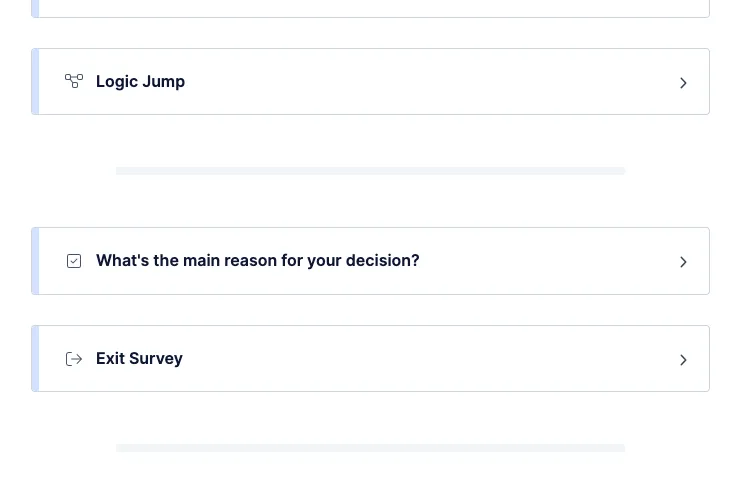
On the last question of each branch that should stop there, set Jump to … and choose that element. Several branches can share one Exit Survey element.
The survey closes on arrival, before this step is shown. Questions placed after the element are skipped, unless another jump goes past it. Put questions that should still run before the element, or jump over it.
The saved response
Section titled “The saved response”Exit Survey stores no answer of its own. The saved response is the answers from the earlier questions.
If the respondent has not answered a question yet, there is nothing to submit. The survey still closes.