Download User Data
Refiner offers several ways to export your user data. The most straightforward option is to download it as a spreadsheet file in either Excel (XLS) or CSV format.
Please note: In addition to downloading user profiles, you can also download survey responses.
The file download option is located above the table on the User Segments page. The exported spreadsheet contains all user profiles that belong to the segment currently selected in the left sidebar.
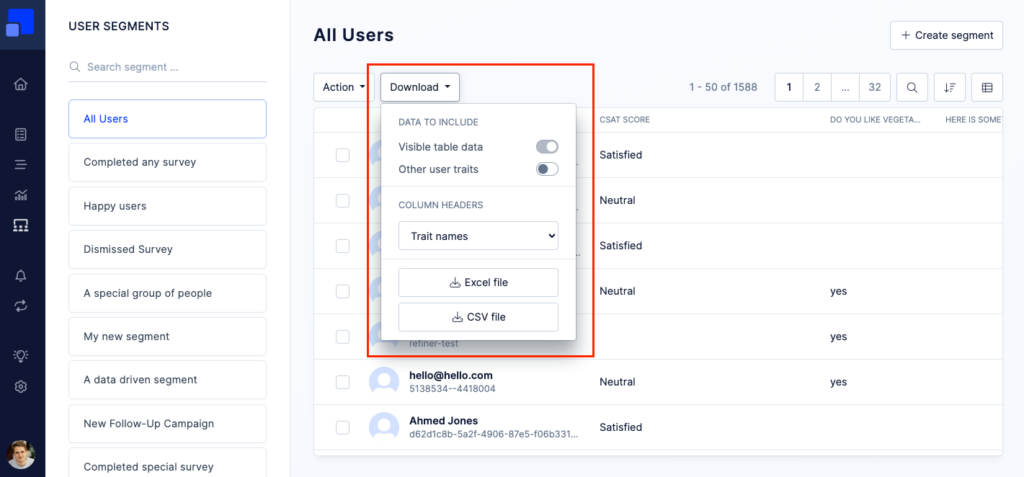
You can choose to export only the columns that are currently visible in the data table, or include all user traits available in your account.
For column headers, you can decide whether to use trait labels or trait identifiers, as defined in the Data Index. Depending on how your account is configured, using identifiers may result in a spreadsheet that is easier to scan or process.
In addition to spreadsheet exports, you can also access your user data through our backend API. You’ll find more information and detailed API documentation here.