Identity Verification
Introduction
IIdentity Verification is an additional security mechanism that protects your Refiner installation from unauthorized third-party requests.
It prevents third parties from impersonating your users or creating bogus user profiles by requiring requests to include a cryptographic signature that only your backend can generate.
We highly recommend enabling Identity Verification in production environments for JavaScript SDK, Mobile SDK and Survey Pages.
How Identity Verification works
When Identity Verification is enabled, requests involving an identified user must include a valid signature for that user.
The signature is unique to each user and is generated on your backend using the user’s identifier and a Refiner API key.
Requests without a user identifier or with an invalid signature are rejected by Refiner.
Because the signature can only be generated by someone with access to your API key, third parties cannot simply use your Environment ID to impersonate users or create bogus user profiles.
Note: Identity Verification requires a unique identifier for each user. When enabled, the JavaScript SDK cannot be used in Anonymous Mode, and Survey Links must include a user identifier.
Enable Identity Verification
Open the Identity Verification settings in your Refiner environment and enable verification for the survey channels where you want to enforce it.
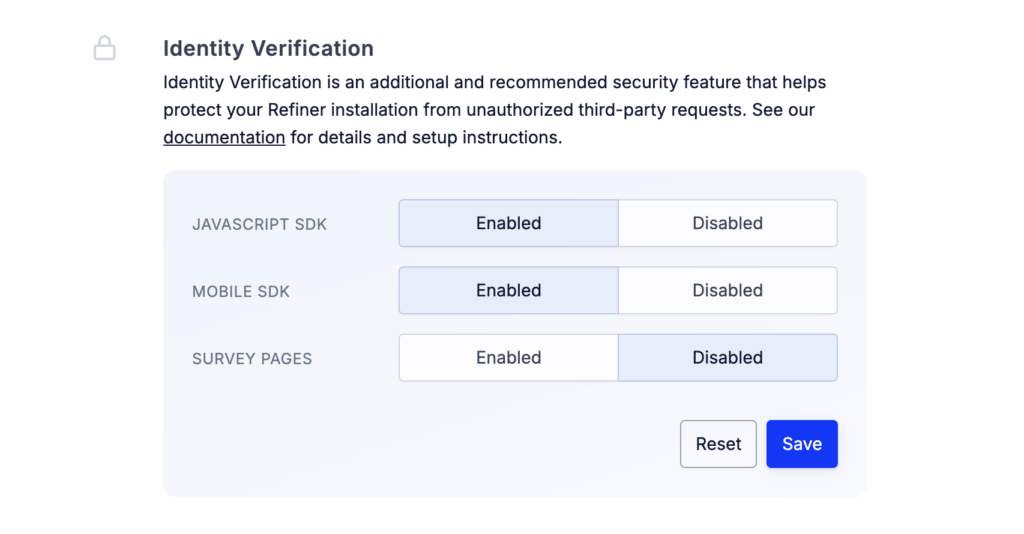
You can initially leave Identity Verification disabled while implementing and testing signatures. Refiner will validate signatures when they are provided but will continue to accept requests without one.
Once your implementation is working correctly, enable Identity Verification to reject unsigned requests.
Create an API key
Go to Settings > API Keys and create an API key that will be used to generate Identity Verification signatures.
We recommend creating a dedicated API key for Identity Verification rather than sharing a key with other integrations.
Important: Your API key is a secret and must only be used in your backend. Never expose it in frontend JavaScript, HTML, a public code repository, or any other client-side code.
Compute the signature
The Identity Verification signature is an HMAC generated using SHA-256.
Use the user’s identifier as the message and your Refiner API key as the secret key.
The USER_ID must be the same identifier you later use when identifying the user with Refiner.
For testing purposes, you can keep Identity Verification in your Refiner settings disabled (see above). When disabled, Refiner will validate provided signatures, but also accept requests without a signature.
Node.js
import crypto from 'crypto'

let signature = crypto.createHmac('sha256', 'SECRET_KEY').update(USER_ID).digest('hex')
PHP
$signature = hash_hmac('sha256', $userId, 'SECRET_KEY')
Ruby
signature = OpenSSL::HMAC.hexdigest('sha256', 'SECRET_KEY', USER_ID)
Pass the signature to Refiner
Once generated on your backend, pass the signature together with the user’s identifier when identifying the user.
JavaScript SDK
Pass the computed signature to the identifyUser method as described in our JavaScript Client Reference.
If you use our Google Tag Manager installation, provide the signature as a user trait using identify_verification_signature as the field identifier.
Mobile SDK
Pass the computed signature as an additional parameter to the identifyUser method.
Refer to the SDK documentation for detailed implementation instructions:
Survey Pages
For Survey Links, pass the computed signature using the signature URL parameter.
See our Survey Link Personalization documentation for details.