
Integrations Overview
Integrations make Refiner the powerful solution it is today. Since most survey responses are tied to a user ID, Refiner can send survey data to the tools you already use and receive user data from other systems. This allows you to trigger workflows, automate follow-up actions, enrich customer profiles, sync data to your analytics stack, and create more precise survey targeting.
Two types of data integration
Section titled “Two types of data integration”Refiner integrations can be grouped into two main categories:
| Integration type | Direction | Description |
|---|---|---|
| Data-out | Refiner → third-party system | Survey responses, survey events, tags, user traits, or segment matches are sent from Refiner to another tool. |
| Data-in | Third-party system → Refiner | User traits, user events, cohorts, or segment membership data are imported into Refiner. |
Some integrations support only one direction, while others support both data in and data out.
All integrations
Section titled “All integrations”| Integration | Description | Data-in | Data-out |
|---|---|---|---|
| Amplitude | Send survey data to Amplitude and sync Amplitude cohorts to Refiner for advanced targeting. | Yes | Yes |
| BigQuery | Add survey response data to a Google BigQuery table in real time. | – | Yes |
| Braze | Send Refiner email surveys with Braze and sync survey response data back to Braze. | Yes, via email surveys | Yes |
| ChatGPT | Access and analyze Refiner survey data directly in ChatGPT. | – | Yes |
| Claude | Access and analyze Refiner survey data directly in Claude. | – | Yes |
| Customer.io | Send Refiner email surveys with Customer.io and sync survey response data back to Customer.io. | Yes, via email surveys | Yes |
| Enterpret | Synchronize survey responses from Refiner to Enterpret for customer feedback analysis. | – | Yes |
| Google Sheets | Automatically add new survey response data as rows in a Google Sheets spreadsheet. | – | Yes |
| Fivetran | Sync Refiner data to your data warehouse or analytics stack through Fivetran. | – | Yes |
| HubSpot | Send Refiner email surveys with HubSpot and sync survey response data back to HubSpot. | Yes, via email surveys | Yes |
| Iterable | Embed Refiner surveys in Iterable campaigns and sync survey events and response data to Iterable. | Yes, via email surveys | Yes |
| Make | Trigger actions in other apps with survey responses and import user data from Make-supported apps. | Yes | Yes |
| Mixpanel | Send survey data to Mixpanel and sync Mixpanel cohorts to Refiner for targeting. | Yes | Yes |
| Permutive | Build, analyze, and activate audience cohorts in Permutive using Refiner data. | – | Yes |
| RudderStack | Sync survey responses to RudderStack destinations and import traits and events into Refiner. | Yes | Yes |
| Salesforce | Send email surveys with Salesforce and update or create Salesforce records with Refiner survey data. | Yes, via email surveys | Yes |
| Segment | Sync survey responses to Segment destinations and import traits and events into Refiner. | Yes | Yes |
| Slack | Receive Slack notifications when users reply to surveys or enter segments in Refiner. | – | Yes |
| Microsoft Teams | Receive Microsoft Teams notifications when users reply to surveys or enter segments in Refiner. | – | Yes |
| Userlist | Sync survey response data to Userlist for follow-up campaigns and user segmentation. | Yes, via email surveys | Yes |
| Vero | Embed Refiner surveys in Vero campaigns and sync survey events and response data to Vero. | Yes, via email surveys | Yes |
| Zapier | Trigger workflows in thousands of apps and import user traits from Zapier to Refiner. | Yes | Yes |
| API | Fetch survey response data through the Refiner API or import user traits from your backend. | Yes | Yes |
| MCP Server | Access and analyze Refiner survey data with AI tools through the Refiner MCP server. | – | Yes |
| Webhooks | Send survey data from Refiner to your backend API or any publicly available endpoint. | – | Yes |
Data-out integrations
Section titled “Data-out integrations”The majority of Refiner integrations send data to other systems. This happens in real time when Refiner receives new survey data or when a configured trigger event occurs.
Available triggers depend on the integration, but common triggers include:
- New survey response
- New tag
- User entered segment
Technically, Refiner sends a request to the third-party system whenever the selected trigger occurs. Depending on the integration, the request can include survey response data, survey metadata, user identifiers, tags, segment information, and selected user traits.
Test integration
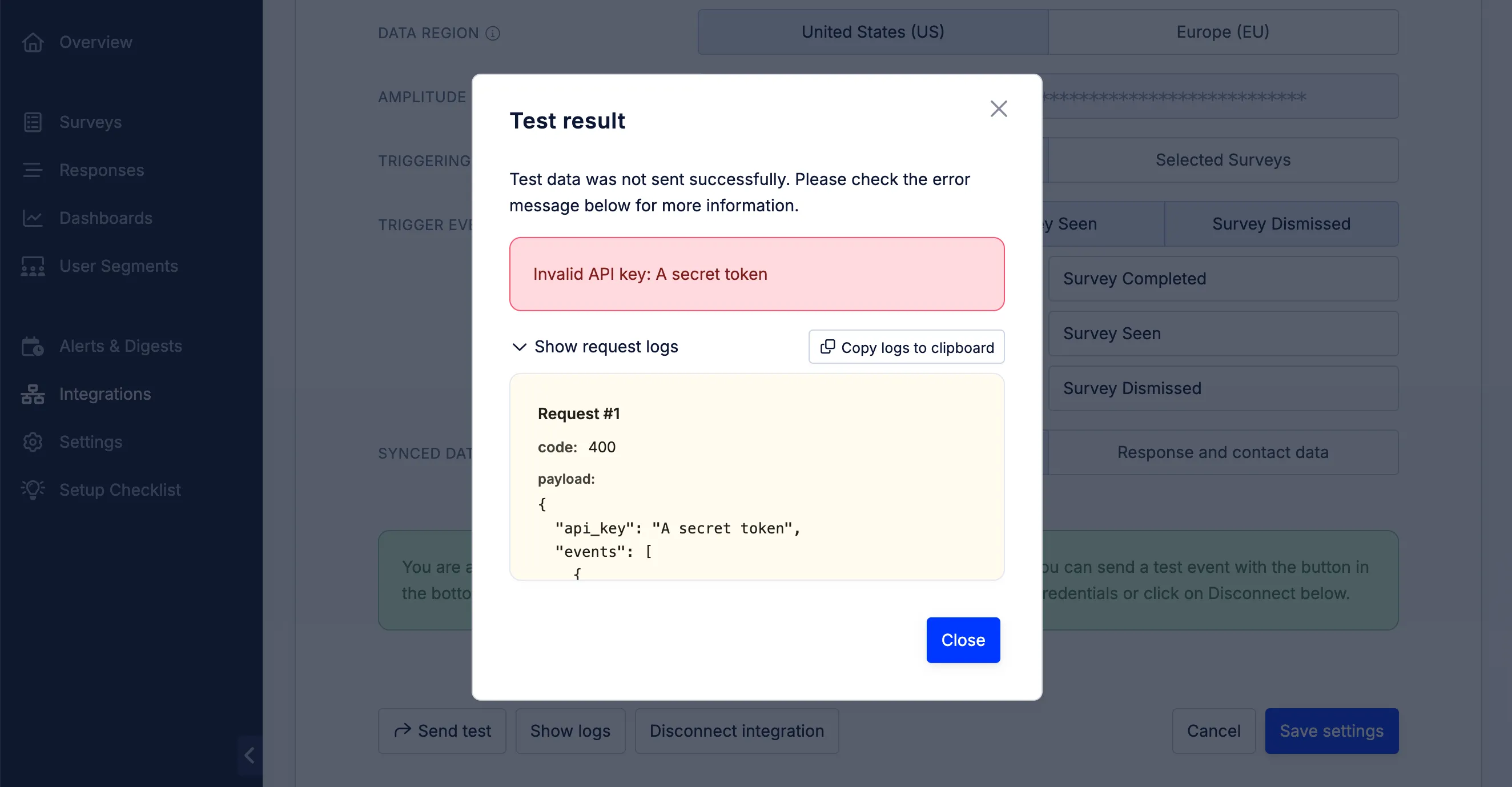
Section titled “Test integration”All integrations that send data include a Send test option in the integration footer. You can use this option to send existing test data from your account to the destination platform.
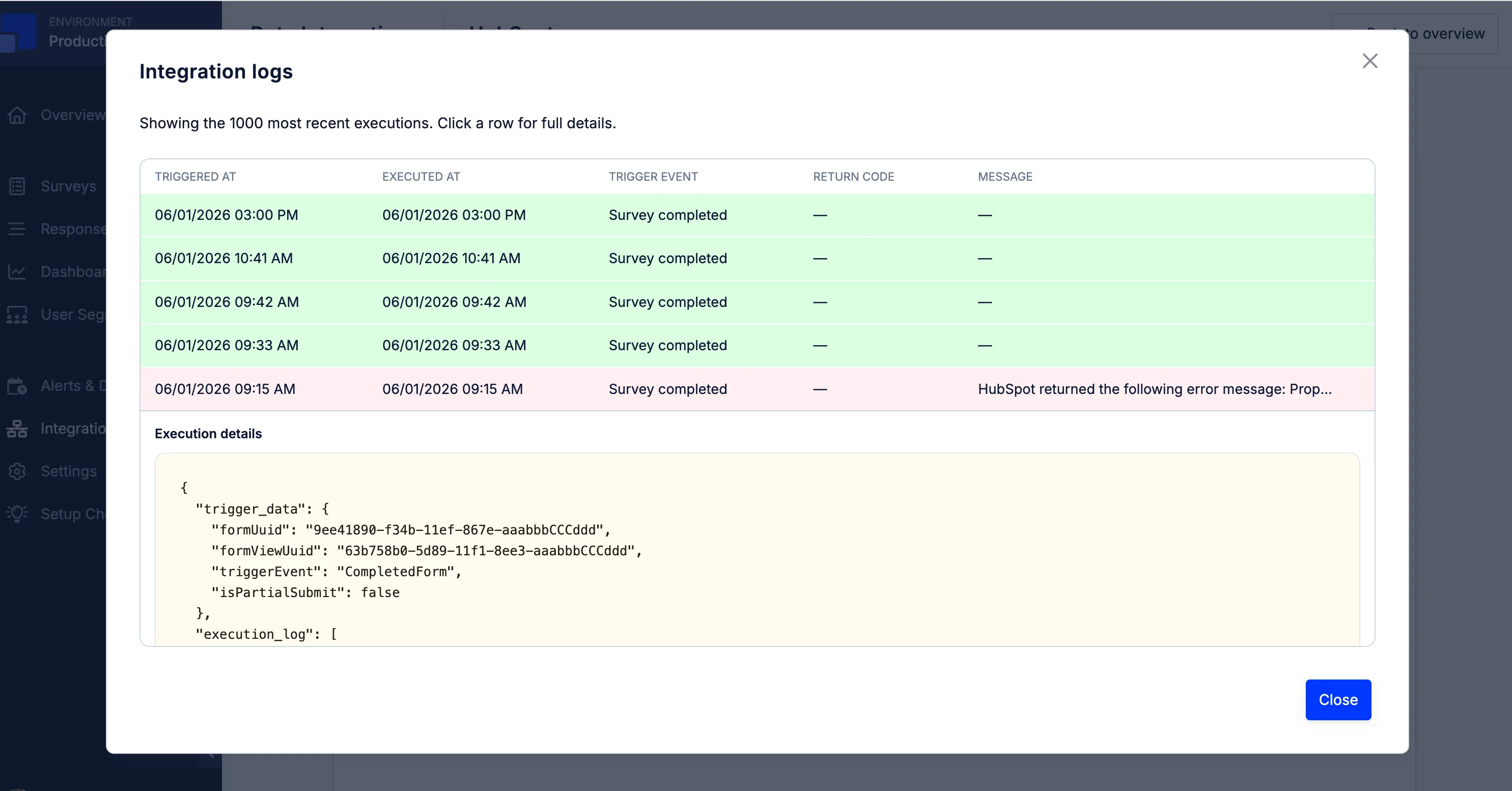
You’ll also find a Show logs option in the footer of each integration page. This option displays the last 1,000 requests sent by the integration. For each request, you can review details such as the request status, the trigger that caused it, and the response returned by the third-party system.
Sync historical data
Section titled “Sync historical data”Integrations only sync new data after they have been configured. Refiner currently does not provide an option to sync historical survey response data through integrations.
To export historical response data, use a CSV or Excel export from your Refiner account.
Data-in integrations
Section titled “Data-in integrations”Some integrations can also import user data into Refiner. Examples include Segment, RudderStack, Amplitude, Mixpanel, Make, Zapier, and the Refiner API.
Imported data can include user traits, events, cohorts, or segment membership. Once imported, this data can be used in Refiner to create user segments and target surveys more precisely.
Please note that Refiner does not control how long it takes for user data, such as traits and events, to arrive from third-party systems. If you want to trigger surveys in real time based on user events, we recommend tracking user events directly with the Refiner SDKs.
Integration not listed?
Section titled “Integration not listed?”We’re constantly adding new integrations to Refiner. If you don’t see the integration you’re looking for, contact our team and tell us about your use case. We’ll be happy to explore whether we can build it for you.