Custom CSS Code
For advanced styling needs, you can inject custom CSS code into your surveys. Custom CSS opens up virtually endless styling possibilities, such as resizing the survey widget or adjusting colors, padding and spacing.
For most use cases, themes and the design options in the survey editor are all you need. We recommend using custom CSS only for adjustments that these options don’t cover.
Availability
Section titled “Availability”Custom CSS code is available for customers on an Enterprise or custom pricing plan. We can unlock this option for customers on the Growth plan on request. Please contact our team to get more information.
If your plan no longer includes custom CSS, the saved code is no longer applied to your surveys.
Add custom CSS code
Section titled “Add custom CSS code”You can add your CSS code in the settings of your environment under Settings > Themes, in the Custom CSS Code tab. Click Save CSS code to apply your changes.
Team members with the Admin or Manager role can edit the CSS code.
Scope your CSS code
Section titled “Scope your CSS code”The CSS code is applied to all surveys in your environment, regardless of which theme they use.
The survey wrapper elements have various CSS classes that help you scope your CSS code to specific surveys or layouts, such as .form-bottom-centered, .form-mobile-sdk, or .form-<survey-uuid>.
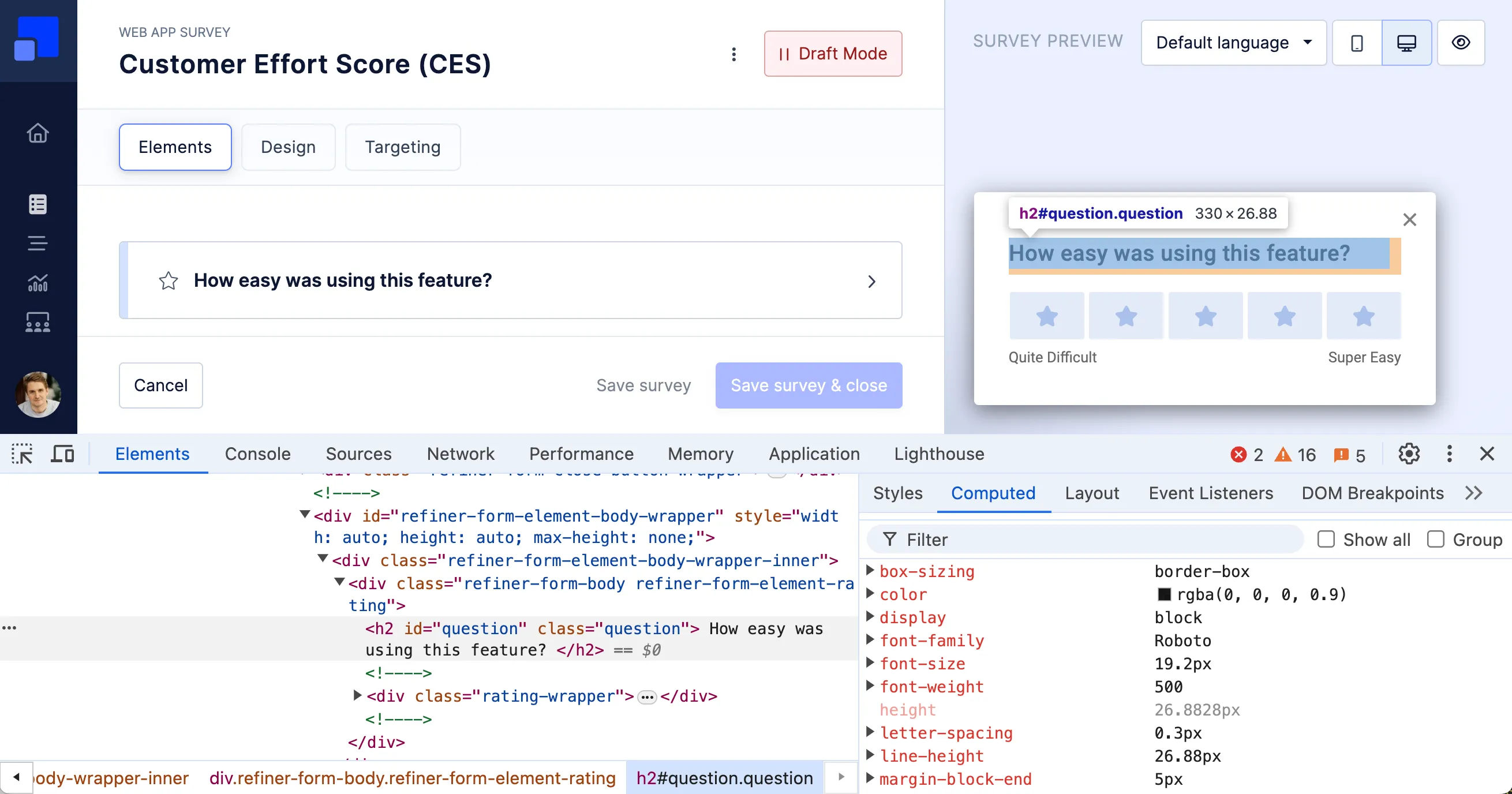
Inspect the survey HTML
Section titled “Inspect the survey HTML”You can inspect the HTML structure of our surveys in the survey preview of the survey editor, using your browser’s developer tools.