
MoEngage Integration
MoEngage is a customer engagement platform for creating personalized campaigns and customer journeys across email, push notifications, SMS, WhatsApp, and in-app messaging.
The Refiner integration lets you send Email Surveys through MoEngage and sync survey events and response data from Refiner to MoEngage. You can use these features independently or together.
Popular use cases
Section titled “Popular use cases”- Collect feedback after onboarding, a purchase, or a key step in the customer journey.
- Personalize campaigns using preferences and needs collected through surveys.
- Trigger follow-up messages based on satisfaction scores or survey completion, such as reaching out to customers who report a poor experience.
Sync survey data to MoEngage
Section titled “Sync survey data to MoEngage”The data integration sends survey interaction events and response data from Refiner to MoEngage. You can also update customer profiles with survey answers and include contact data in the sync.
Set up the integration
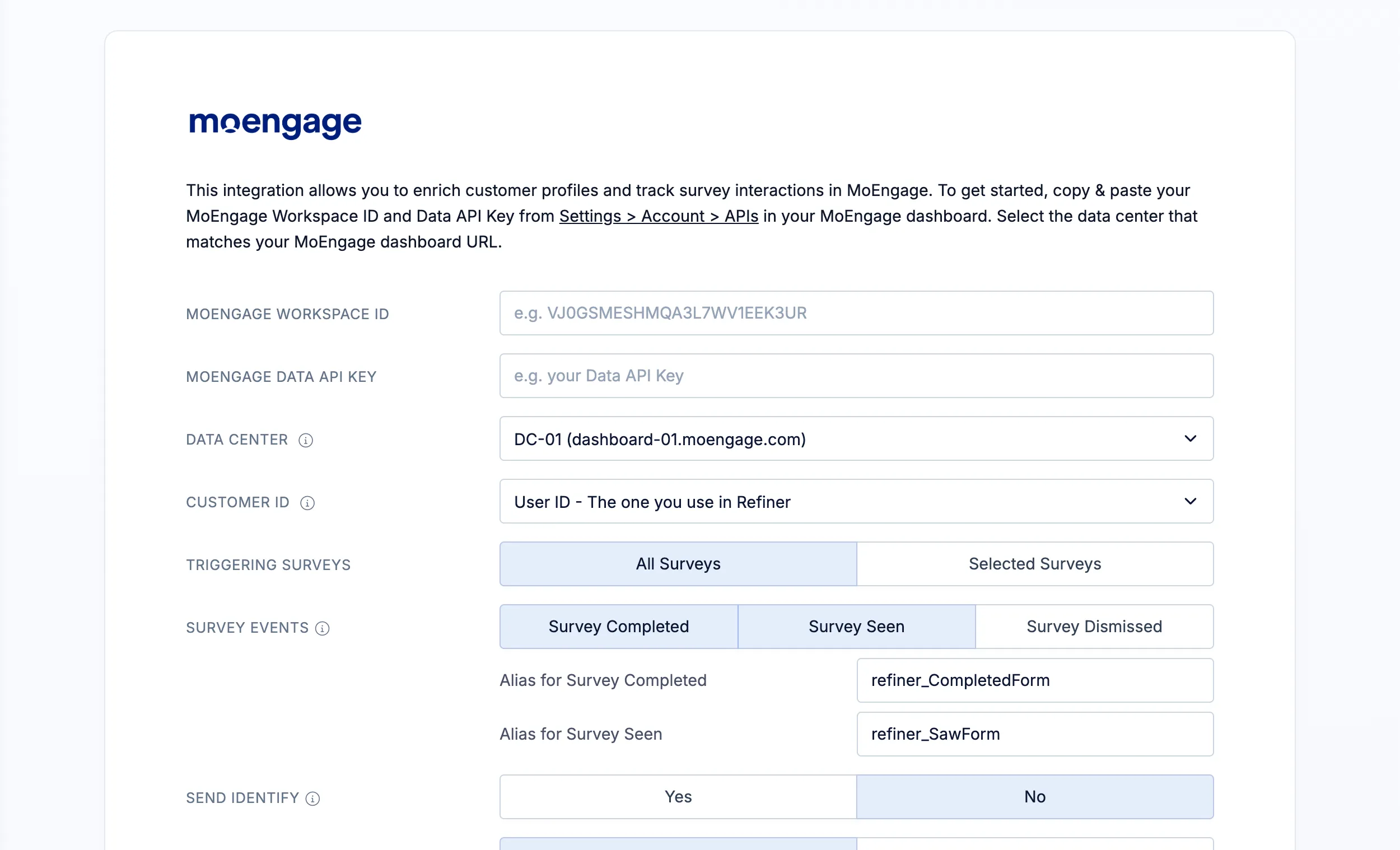
Section titled “Set up the integration”- In your Refiner environment, open Integrations and select MoEngage.
- Enter your MoEngage Workspace ID and MoEngage Data API Key. You can find them in Settings → Account → APIs in your MoEngage dashboard. Use the key from the Data section. See MoEngage’s instructions for finding your credentials.
- Select the Data Center that matches your MoEngage dashboard URL. For example, dashboard-01.moengage.com corresponds to DC-01. See MoEngage’s data center documentation.
- Choose the Refiner identifier that matches your MoEngage Customer ID so that data is associated with the correct customer.
- Select the surveys and events you want to sync, and choose whether to update customer profiles using Send Identify. You can sync response data alone or include contact data.
- Click Save Settings.
Survey activity is then sent to MoEngage according to your settings. Complete a survey for a test user and check the matching MoEngage profile to confirm that the expected events and attributes arrive.
You can use the synced data in MoEngage to create segments, personalize messages, and trigger customer journeys based on survey answers or interactions.
Send Email Surveys with MoEngage
Section titled “Send Email Surveys with MoEngage”MoEngage handles your email audience, scheduling, and delivery. Refiner provides the survey and collects the responses. Recipients interact with the survey prompt in your email and continue on a Refiner-hosted survey page.
To add a survey to a MoEngage email:
- Create an Email Survey in Refiner and open the Embed Code tab in the Survey Editor.
- Select MoEngage as your email provider and copy the generated HTML.
- Open your email in MoEngage and insert the HTML where you want the survey to appear.
- Send a test email to check the survey links and respondent identification before launching your campaign.
The generated embed code includes MoEngage personalization tags to identify respondents. If you also want to sync their answers back to MoEngage, use an identifier that matches the Customer ID configured in the data integration.
For more information, see our guide to generating Email Survey embed code.