Enterpret Integration
The Enterpret integration allows you to sync new Refiner survey responses to Enterpret in real time. Once responses arrive in Enterpret, they can be analyzed alongside feedback from your other connected sources, making Refiner an additional source of customer feedback in your Enterpret workspace.
How it works
When the integration is enabled, Refiner automatically sends new survey responses to Enterpret as soon as they are collected. This allows your team to include Refiner survey data in existing Enterpret analysis workflows without manually exporting or importing responses.
Survey responses synced from Refiner can be analyzed together with other customer feedback already available in Enterpret, helping you identify patterns, trends, and recurring themes across all feedback channels.
Synced data
Alongside the actual survey response data, Refiner also sends relevant metadata to Enterpret. This includes information such as timestamps, survey names, rating values, and response attributes.
For surveys that include rating questions, values such as NPS, CSAT, and Number ratings are synced as part of the response data. This allows Enterpret users to filter, segment, and analyze Refiner survey responses efficiently inside Enterpret.
Set up the integration
To set up the Enterpret integration, go to Integrations in your Refiner dashboard and select Enterpret.
Copy your Enterpret API key from your Enterpret account and paste it into the Refiner integration settings. Then select the surveys for which you want to sync response data to Enterpret.
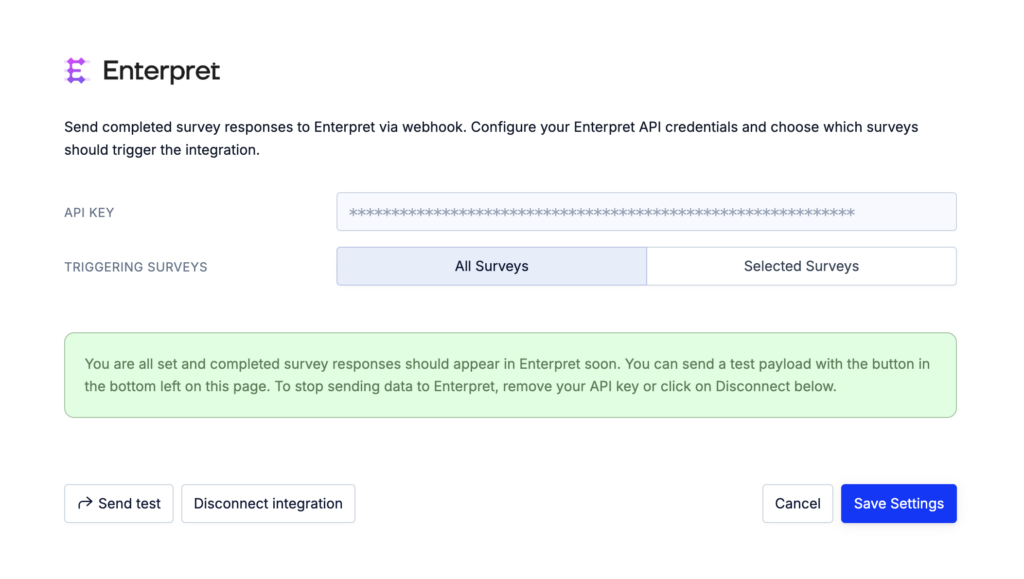
Once you click Save, the integration is active. New survey responses for the selected surveys will appear in your Enterpret account as soon as they are received.
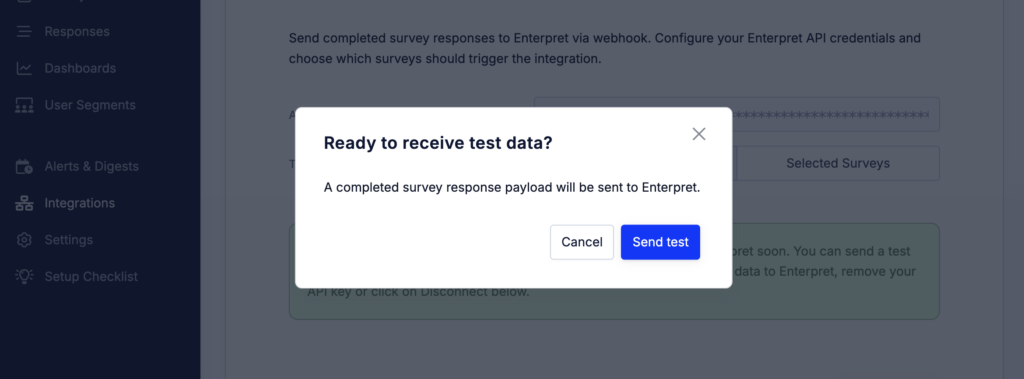
If you don’t want to wait for new survey responses, you can also click on “Sent test” in the bottom left of the screen and send a randomly picked existing survey response to your Enterpret account.
Notes
The Enterpret integration only syncs new survey responses after the integration has been enabled. Existing historical responses are not synced automatically.
You can update the list of synced surveys at any time from the Enterpret integration settings in Refiner.