
Improved filters: exclude surveys and tags
You can now exclude surveys and tags when filtering survey responses. Leave out responses to test surveys, or hide responses tagged “Spam” or “Resolved”, in a few clicks.
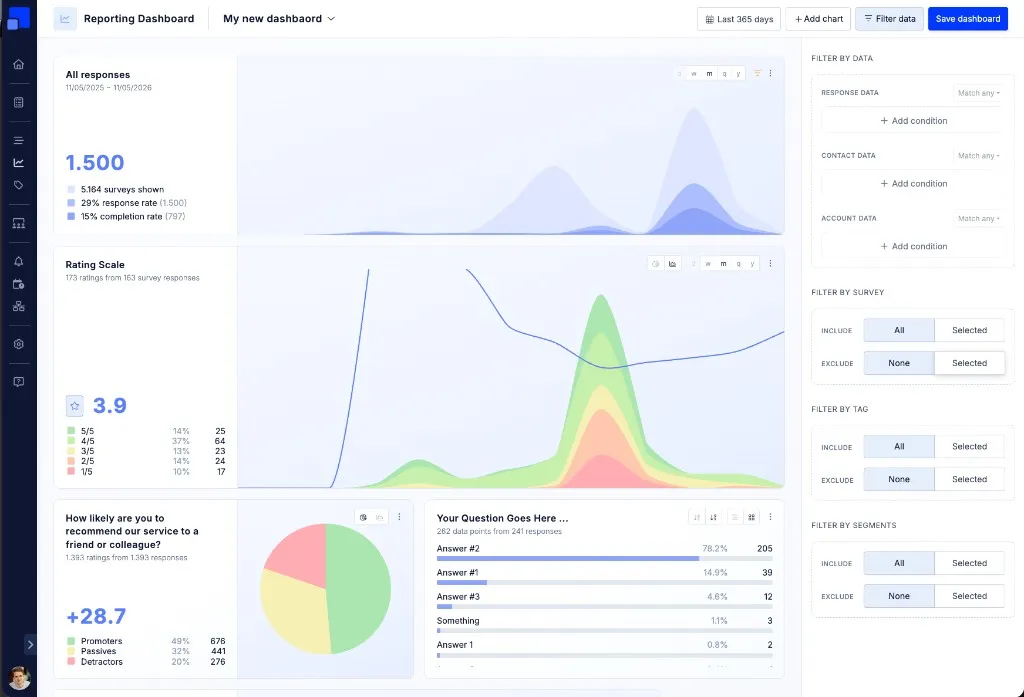
We also redesigned the filter sidebar to make it much clearer. Filters are now organized in four sections: Filter by data (Response data, Contact data and Account data), Filter by survey, Filter by tag and Filter by segment. The survey, tag and segment filters each have an Include and an Exclude option.
The same filters are available everywhere: in the Survey Response List, in the filter sidebar of reporting dashboards, and when you overwrite the filters of a single chart.