
Send notifications and digests to user roles
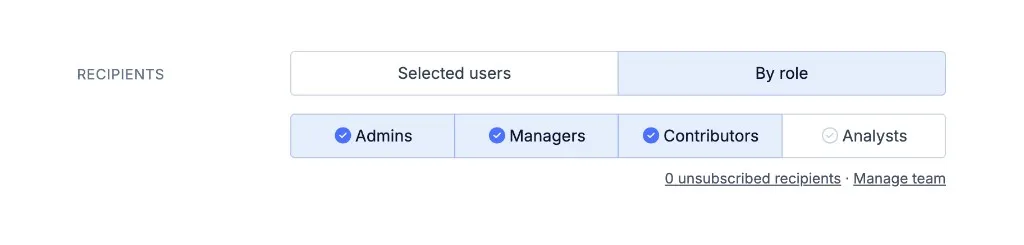
You can now send Email Notifications and Email Digests to everyone with a specific role. In the recipient settings, choose By role, then select Admins, Managers, Contributors, Analysts, or any combination. New teammates with a selected role are included the next time the email goes out, as long as they have access to the environment.
You can also add someone back after they unsubscribe from a notification or digest. Open it, click unsubscribed recipients, select them, and click Re-subscribe selected users.